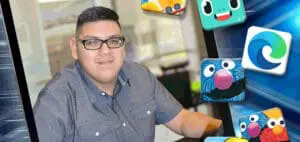
Artificial Intelligence is present in our lives in ways we don’t even realize. Check out some of the many educational apps that can help students succeed.
“Reading, Writing, Arithmetic, and AI?”
Discover the Many Ways Artificial Intelligence is Already in Our Lives
Given the dizzying pace of technology these days, chances are high that you have heard or read the words “AI” or “Artificial Intelligence”. Maybe it has caused you some anxiety?
Perhaps you would like to learn more about it or discover if it could be beneficial for your child with a disability. Either way, you have a lot of questions! Well, so do we.
The reality is that most of us have been using AI for some time now…without really paying attention!
Do you use Maps on your smartphone? AI.
Has your child used Text-To-Speech? AI.
Ever asked Siri a question?
Does anyone in your house turn on captions on your TV or when browsing social media with no sound?
Yep, you guessed it. The list goes on.
Back to the main question for our team here at BridgingApps—How can AI help people with disabilities? The answer you likely already have guessed: In so many ways!
It can improve accessibility, enhance communication, offer personalized support, and shortcut everyday tasks.
As families everywhere begin to gear up for a new school year, we gathered a few of our favorite education-related apps, as well as some tools that incorporate AI.
Apps for Young Learners
For younger learners, here are some of our favorites for practicing new skills or polishing up those previously learned as school starts up again.
Endless Learning Academy [1] utilizes its adorable cast of characters to teach and help users practice phonics, letter and number recognition, counting, and more.
My PlayHome [2] offers children the opportunity for open-ended play by allowing them to place characters in various settings and create stories about what is happening. This is an effective way to help children practice language and vocabulary by presenting prompting questions, such as “What is the family eating for breakfast?” and having them build on the details.
For fun, interactive pre-made stories, check out The Monster at the End… [3] and Another Monster at the End… [4] from Sesame Street. These animated storybooks are designed to help children learn about emotions while practicing early reading skills, and they are also really fun!
Curious how our cover model is putting these apps into action? Click here [5] to see how he’s using them in real life!
Apps for Upper Elementary through Post-High School
For those in upper elementary through post-high school education, these apps offer help with reading and studying information.
Our students absorb a significant amount of information through electronic means these days, and for some, with reading disabilities such as dyslexia, this can present a challenge.
Often, having content read aloud to them improves comprehension for these students; however, having someone read something or an audio recording of notes is not always available.
This is where the Microsoft Edge: AI Browser [6] can help. It will easily read aloud any content on a webpage by selecting the three dots in the address bar and choosing “read aloud,” and is available not only for laptops and desktop computers, but also for mobile devices.
An excellent tool for studying for tests or reviewing newly learned information is Knowt: AI Flashcards & Notes [7]. This app can be used by students of all ages with subjects of any grade level and works by using AI to scan school notes or subject-related videos, then creating an outline, quiz questions, or even flashcards.
This not only allows students to study more efficiently—no more time spent handwriting flashcards or coming up with quiz questions—but also helps those students for whom handwriting might be more difficult due to strength or fine motor control difficulties.
Lastly, the Photomath [8] app, by Google, is an excellent way for students to learn how to solve a variety of math problems. Take a picture of the problem, and the app will offer to explain how to solve it with step-by-step instructions.
For students who prefer videos, Photomath offers animated tutorials in its “Plus” version, which is available for a monthly or yearly subscription fee.
To search for more educational apps on BridgingApps, visit our app database at:
https://search.bridgingapps.org/ [9] and select the appropriate filters (subject area, age of student, Android, iPad, iPhone, or Web Application) to find the app that’s right for your child.
You can also read more about AI in a recent BridgingApps blog post at https://bridgingapps.org/lets-appreciate-ai/ [10].
*All app prices are current at the time of this article’s publication.
 [11]
[11]
Endless Learning Academy
By Originator Inc.
Endless Learning Academy is an educational app designed for young children to build early literacy, math, and vocabulary skills. It features engaging characters and interactive lessons that adapt to a child’s learning pace. The app emphasizes fun, curiosity-driven learning without time limits or scores.
Free • Offers In-App Purchases
Apple App Store [12]
Website [13]
 [14]
[14]
My PlayHome
By PlayHome Software Ltd
My PlayHome is a digital dollhouse app where children can explore and interact with a virtual family in a fully animated home. Kids can cook, dress up characters, or switch on the TV, encouraging imaginative and open-ended play. It’s intuitive and safe for even very young users.
$3.99
Apple App Store [15]
Website [16]
 [17]
[17]
The Monster at the End…
By Sesame Workshop (Apps)
This app is an interactive version of the beloved Sesame Street book, “The Monster at the End of This Book.” Kids join Grover in a humorous and engaging journey to reach the end of the story. Along the way, they enjoy touch-based activities that support early literacy and listening skills.
$4.99
Apple App Store [18]
Google Play Store [19]
Website [20]
 [21]
[21]
Another Monster at the End…
By Sesame Workshop (Apps)
A sequel to the popular Grover storybook app, this version adds Elmo to the adventure for even more interactive fun. The app blends storytelling with humor and learning, ideal for preschool-aged children. It promotes reading comprehension and emotional awareness through playful dialogue and activities.
$3.99
Apple App Store [4]
Google Play Store [22]
Website [20]
 [23]
[23]
Microsoft Edge: AI Browser
By Microsoft Corporation
Microsoft Edge is a fast, secure web browser that integrates AI tools like Copilot for smarter searching and productivity. It includes features like reading mode, collections, and PDF markup for efficient browsing and studying. The AI enhancements make it useful for both casual users and professionals.
Free • Offers In-App Purchases
Apple App Store [24]
Google Play Store [24]
Web App [25]
 [26]
[26]
Knowt: AI Flashcards & Notes
By Knowt Inc.
Knowt helps students study smarter by turning their notes into flashcards and quizzes using AI. It supports spaced repetition and personalized review schedules for better retention. The app is ideal for middle school through college students who want to streamline their study process.
Free• Offers In-App Purchases
Apple App Store [27]
Google Play Store [28]
Web App [29]
 [30]
[30]
Photomath
By Google
Photomath lets users scan handwritten or printed math problems and get instant step-by-step solutions. It covers a wide range of math topics from basic arithmetic to advanced calculus. With clear explanations and visual aids, it’s a powerful tool for students, parents, and teachers.
Free • Offers In-App Purchases
Apple App Store [31]
Google Play Store [32]
About Author(s)
Check out the BridgingApps App Search Tool [33] to search for apps, create lists, and even share them.
BridgingApps, a program of Easter Seals Greater Houston, is a community of parents, therapists, doctors, and teachers who share information about mobile device use with people with special needs.
Amy Fuchs is the Program Manager at BridgingApps and a former special education teacher. Amy Barry is the Digital Marketing Lead at BridgingApps and is the mother of five children.
Cristen Reat is a co-founder of BridgingApps and a mother who found success using a mobile device with her younger son, who has multiple disabilities. We share a passion for using mobile technology to enhance the lives of people of all ages with disabilities.
This post originally appeared on our July/August 2025 Magazine [34]